How to Sign Into MyScouts
Before You Begin
Before you can sign into MyScouts, you must have created a MyScouts account. See How to Create a MyScouts Account tutorial for assistance.
Sign Into Your MyScouts Account

1. Enter the email address you use with MyScouts. e.g. johndoe@catastrophic.net
2. Enter your MyScouts password.
3. Select Login.
Confidentiality Agreement
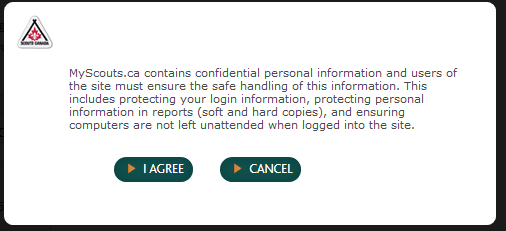
If this is the first time you've logged into MyScouts, you will be presented with the above dialog.
1. Click I AGREE to continue.
Begin Registration
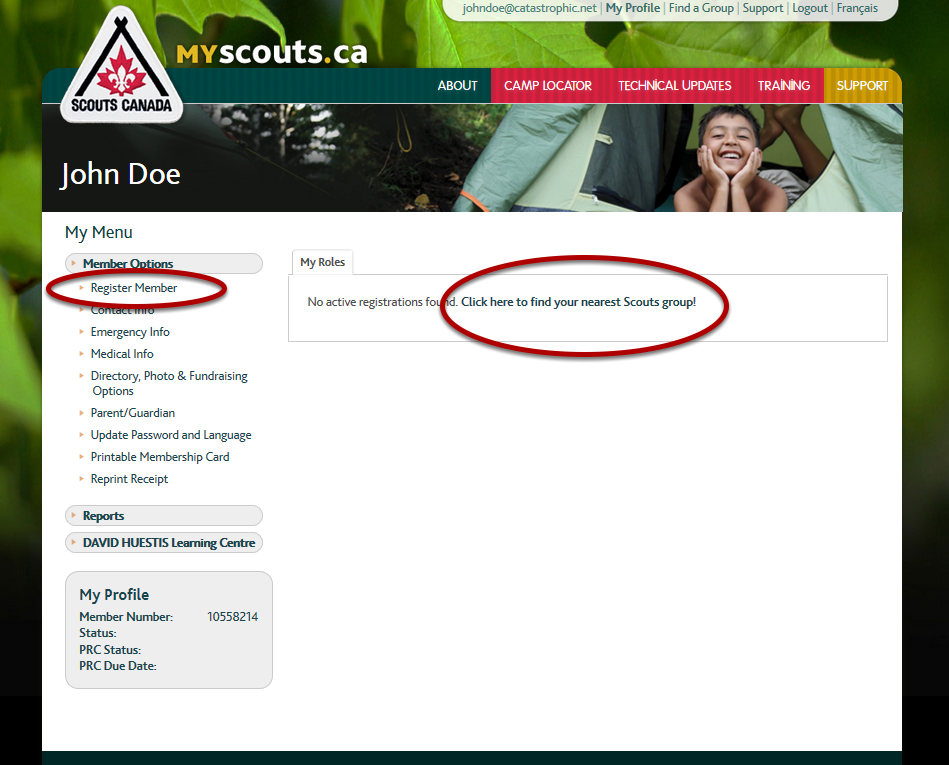
If you just created your account and haven't registered as a volunteer, or registered a child in the program, you will see the screen above.
To register as a Volunteer or to register a Participant, select "Click here to find your nearest Scout Group" or "Register Member".
See:
How to Register as a Volunteer
OR
How to Register a Participant