How to Manually Create a ScoutsTracker Login for a Parent
Another adult or parent without a MyScouts account or Parent Helper/Overnight role can receive a ScoutsTracker login, but it must be created manually.
The login will then be linked with any associated youth in the section. The login will be able to receive section emails and sign up their youth (and themselves, in the case of Other Participants).
Obtain Email Address
Before creating a login for an adult or parent, obtain their email address.
Navigate to the Logins List

1. Select Accounts from the menu.
2. Select Logins from the Roster.
Select Other Participant

1. Select Accessed Cub/Other Participant beside List by, if not already selected.
2. Select a youth associated with the parent.
Add Login

In this example, the youth already has one parent with an associated login, and a second parent login is being added.
1. Select Add.
Create Login
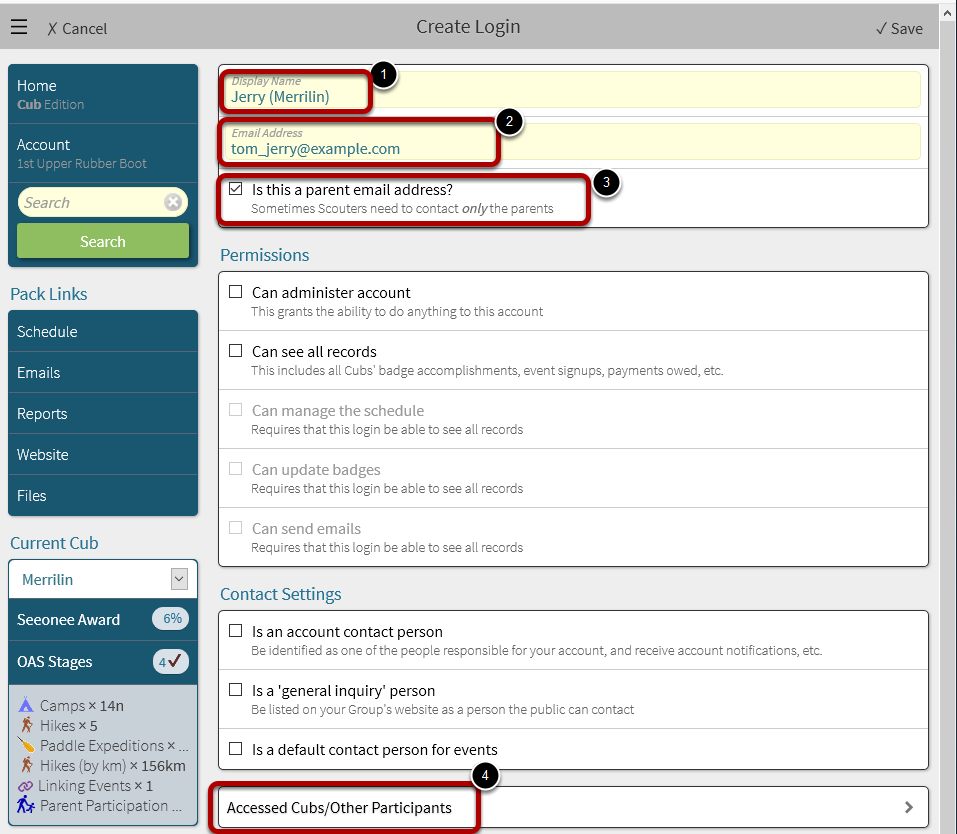
1. Enter a Display Name for the login (e.g. the name of the parent or Other Participant)
2. Enter the parent or Other Participant's email address.
3. Check box beside Is this a parent email address?. This should be checked for adults, but not Other Participants that are youth.
4. Select Accessed Youth / Other Participants.
Select Youth to associate with the parent or Other Participant login

1. Select one or more youth in the list associated with the parent or Other Participant. The parent or Other Participant will be able to see the youth's records, and sign them up for events (as well as themselves).
2. Select Save.
Save Login Changes
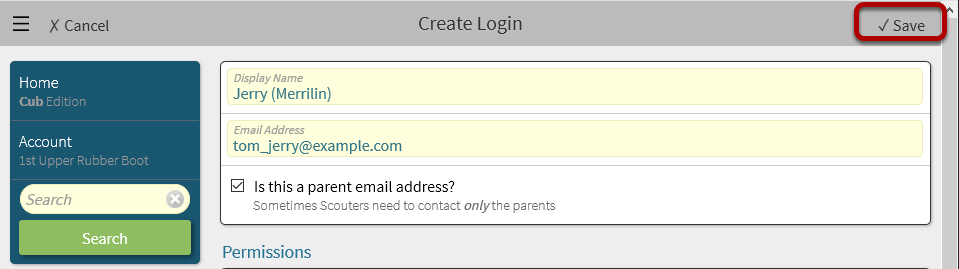
ScoutsTracker will return to the Edit Login screen.
1. Select Save again.
Return to Logins screen

1. Select Logins to return to the main Logins screen.